Sometimes a client has an odd number of items in a columned layout. Usually it’s in the last row and there’s either a missing spot or it’s centered under the other items. But recently, I’ve had a few clients who wanted to do an inverse layout – where the row with the less items is in the first row centered, above a row with the full number of items.
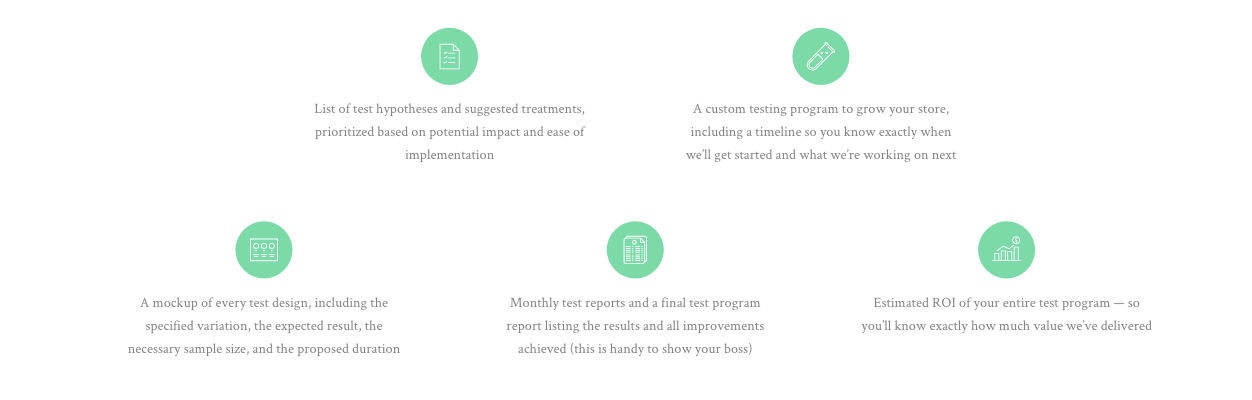
It’s actually surprisingly difficult to do this, even with modern tools like Flexbox and Grid. Both ways have their pros and cons, and neither is super simple – especially if the client decides they want to add or remove items in the future. Let’s take a look at both approaches:
Flexbox
The only way I could think of accomplishing this in Flexbox was to add a containing element to each row. This has the obvious drawback of requiring an additional HTML element, which isn’t the cleanest, as well as requiring specific widths.
See the Pen Inverted Columns – CSS Flexbox by Amber Weinberg (@amberweinberg) on CodePen.
This also gets more complicated if you’re using a CMS for content. You’ll have to tie in a counter to your PHP loop to detect the first two items, close container, then a container around the next three items. If the client decides to add or remove items, you’ll have to adjust the code.
Grid
Grid was the obvious choice for me, but was also not flexible if the amount of items needed to change. It requires manually laying out each item on the Grid, but requires the least amount of code and no additions to your CMS content loop.
See the Pen Inverted Columns – CSS Grid by Amber Weinberg (@amberweinberg) on CodePen.
Creating a grid with six equal columns and a column gap allows us to center the first two items in between the three in the second row, by starting the first item in the second column. I then had to manually place each of the five items, in addition to spanning each one across two columns.
Conclusion
I’m going with the Grid version for now, because it requires the least amount of code and no changes to the existing CMS loop. For both solutions, if a 6th item is added, it’ll start a third row, which would look really strange. But if they add two items though, it’ll still look good in a 2 x 3 x 2 layout, and if they add three more items, it’ll just be lined up like the 2nd row.
You can see other solutions to this puzzle, including some pretty creative ones in this Twitter thread.
Thanks to Amelia Bellamy-Royds and Jen Simmons for pointing me in the right direction for this.

Amber Weinberg
Amber is a freelance front-end developer specializing in semantic and accessible custom WordPress themes. She works with agencies and other freelancers to bring their designs to life using custom ACF flexible layout builds - making them more performant and less buggy while allowing the client easy customization without breaking the design system.